MCPOTA ยท Arx Dominii Privati

Know what's leaving your phone.

MCPOTA Privacy Watch shows which Android apps collect your location, contacts, clipboard and photos while you aren't using them, which trackers they talk to, and how much data they send โ€” with a full history of what each one did. Then it fixes it in a tap.

Start the 7-day trial See a sample report
๐Ÿค– Android: in testing๐ŸŽ iPhone: coming๐Ÿšซ No ads๐Ÿšซ No analytics๐Ÿ“ฑ Everything stays on your phoneโ†ฉ Undo for every fix
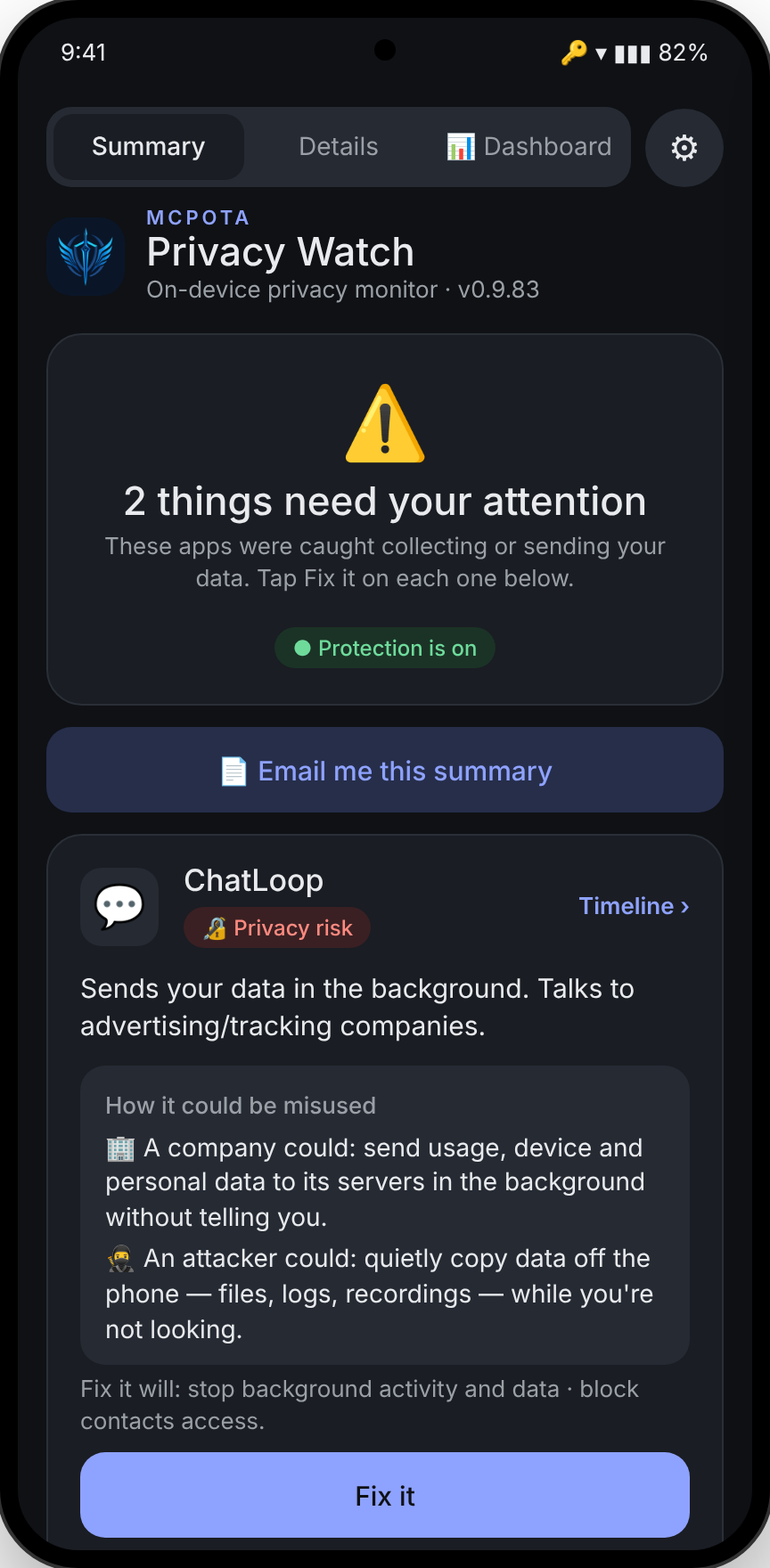
Privacy Watch's Summary screen listing three apps that need attention, with Fix it buttons

Behaviour, not guesswork

Most privacy tools tell you what an app could do. Privacy Watch records what it actually did โ€” when, how often, and who it talked to afterwards.

๐Ÿ”ด Findings you can act on

Every app is rated from what it did in the background. Red means it's sending or collecting your data right now; amber means worth a look; everything else stays quiet.

  • Background location, clipboard, contacts, SMS, photos, mic and camera use
  • Uploads while you weren't using the app, measured per app
  • Advertising and analytics services contacted while closed
  • Plain-English "How it could be misused" โ€” by a company and by an attacker
Findings list with red privacy risks and an amber worth-a-look item

๐Ÿ•’ A timeline for every app

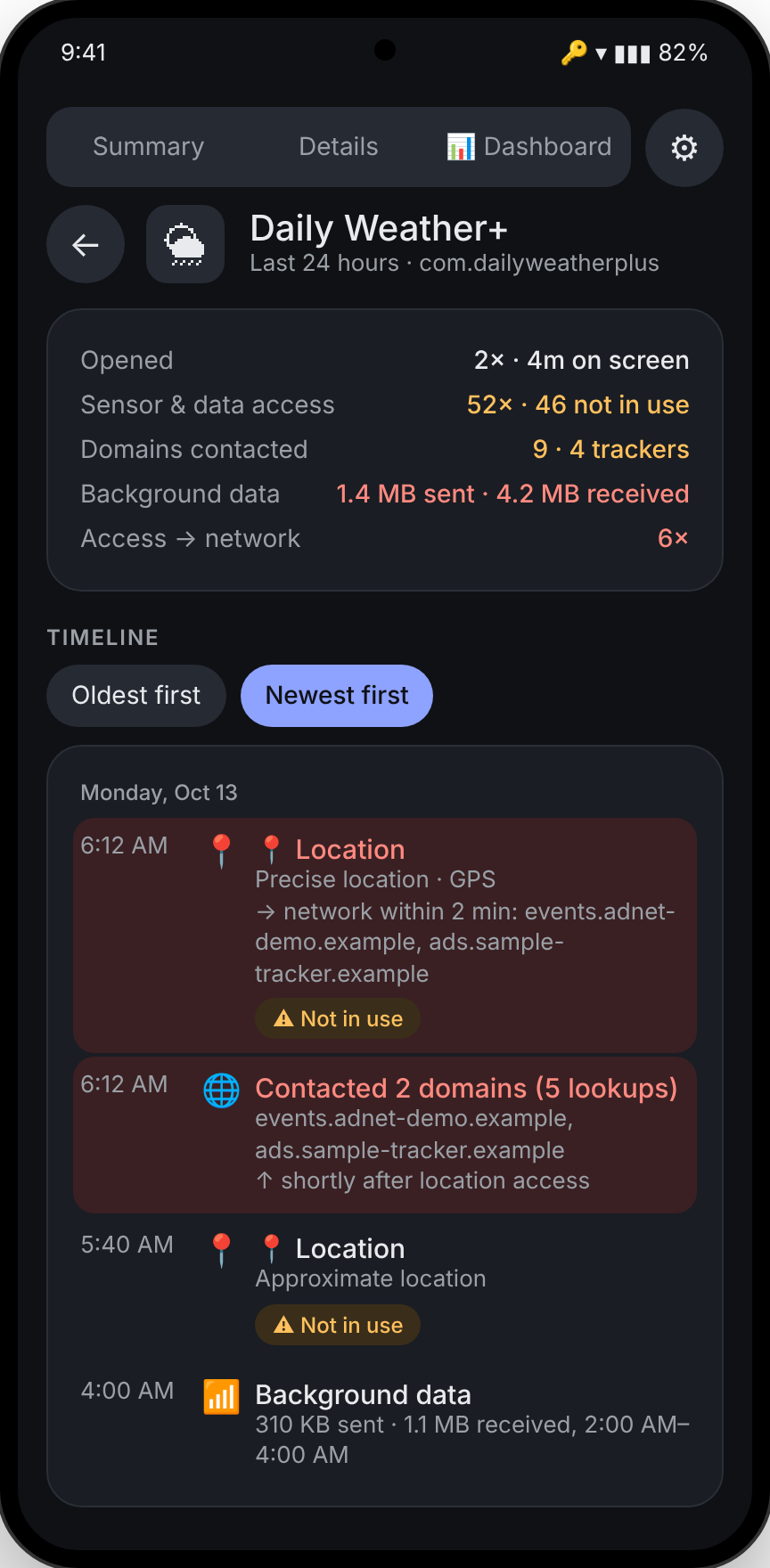
See exactly what an app did and when. Privacy Watch links a sensitive access to the network traffic that followed it โ€” like a weather app reading your location and then contacting an ad network within seconds.

  • At a glance: opens, background accesses, trackers and data sent
  • Every access and every server it contacted, newest first
  • Access โ†’ network links within two minutes
Timeline for a weather app showing location accesses followed by tracker lookups

๐Ÿ›  Fix it in one tap โ€” and undo it in one tap

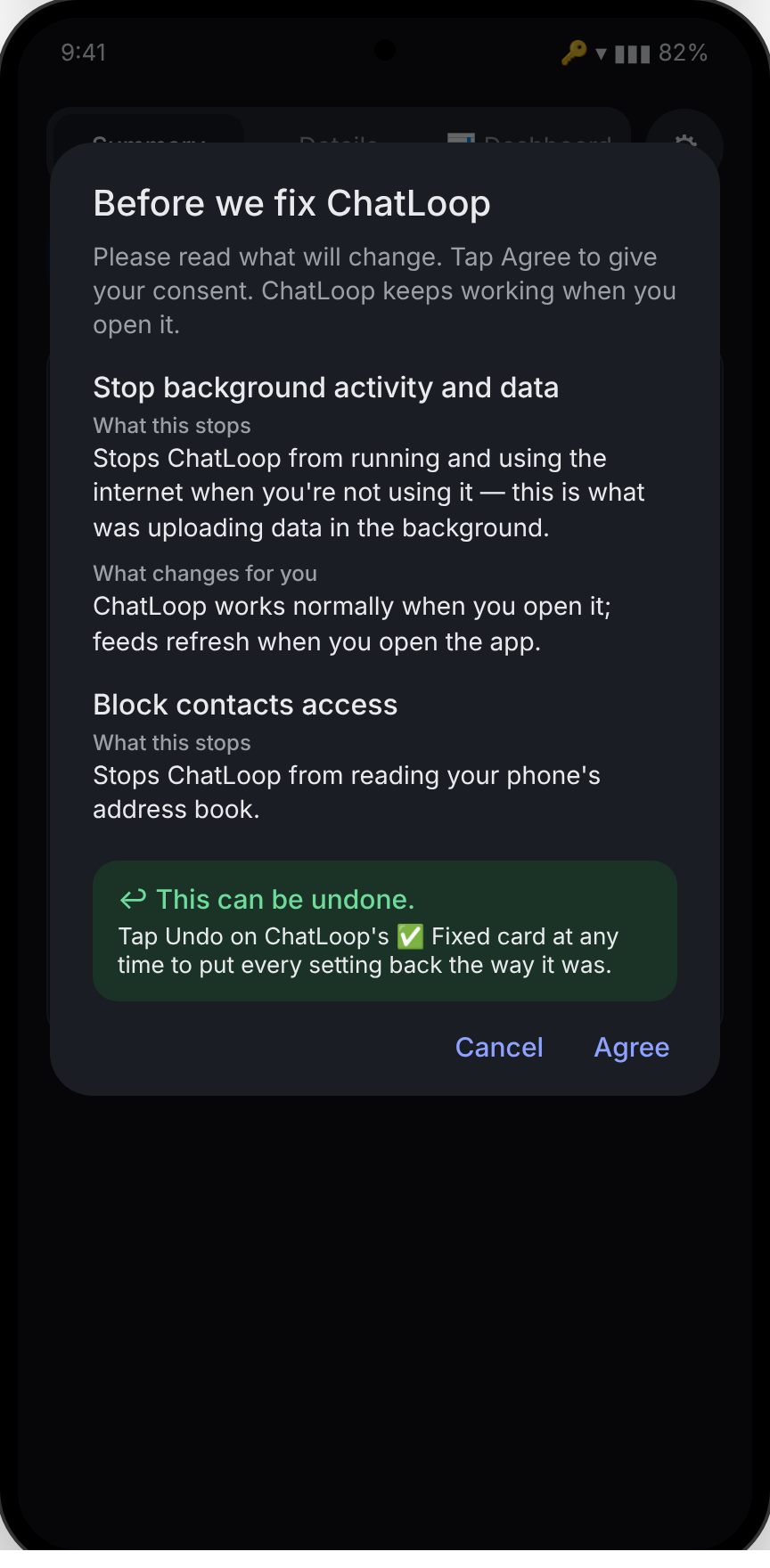
Privacy Watch shows exactly what it will change before it changes anything: restrict the battery, block background data, or remove one permission. The app keeps working while you use it.

  • Clear consent screen for every change
  • Undo any fix, any time
  • Before / after counts in your reports, so you can see it worked
Fix it confirmation listing battery restriction, background data block and contacts block

โ†ฉ Fix check: catches fixes that get undone

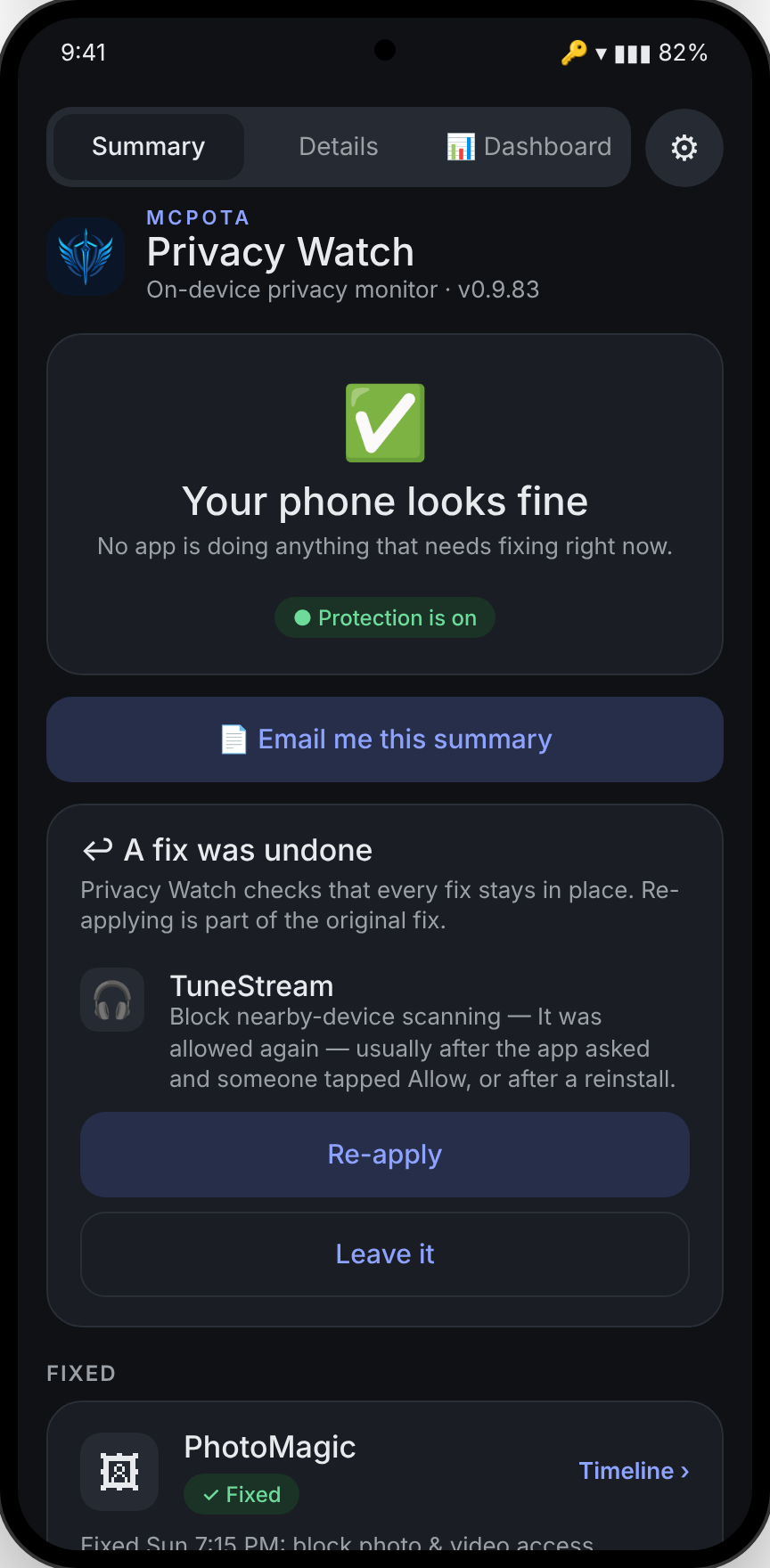
App updates, reinstalls and system updates can quietly switch a permission back on. Privacy Watch checks every fix and tells you when one was reversed, with Re-apply or Leave it.

  • Checks permissions, background data, battery and disabled apps
  • Explains the likely reason in plain English
  • Re-applying is part of the original fix
A card saying a fix was undone for a music app, with Re-apply and Leave it buttons

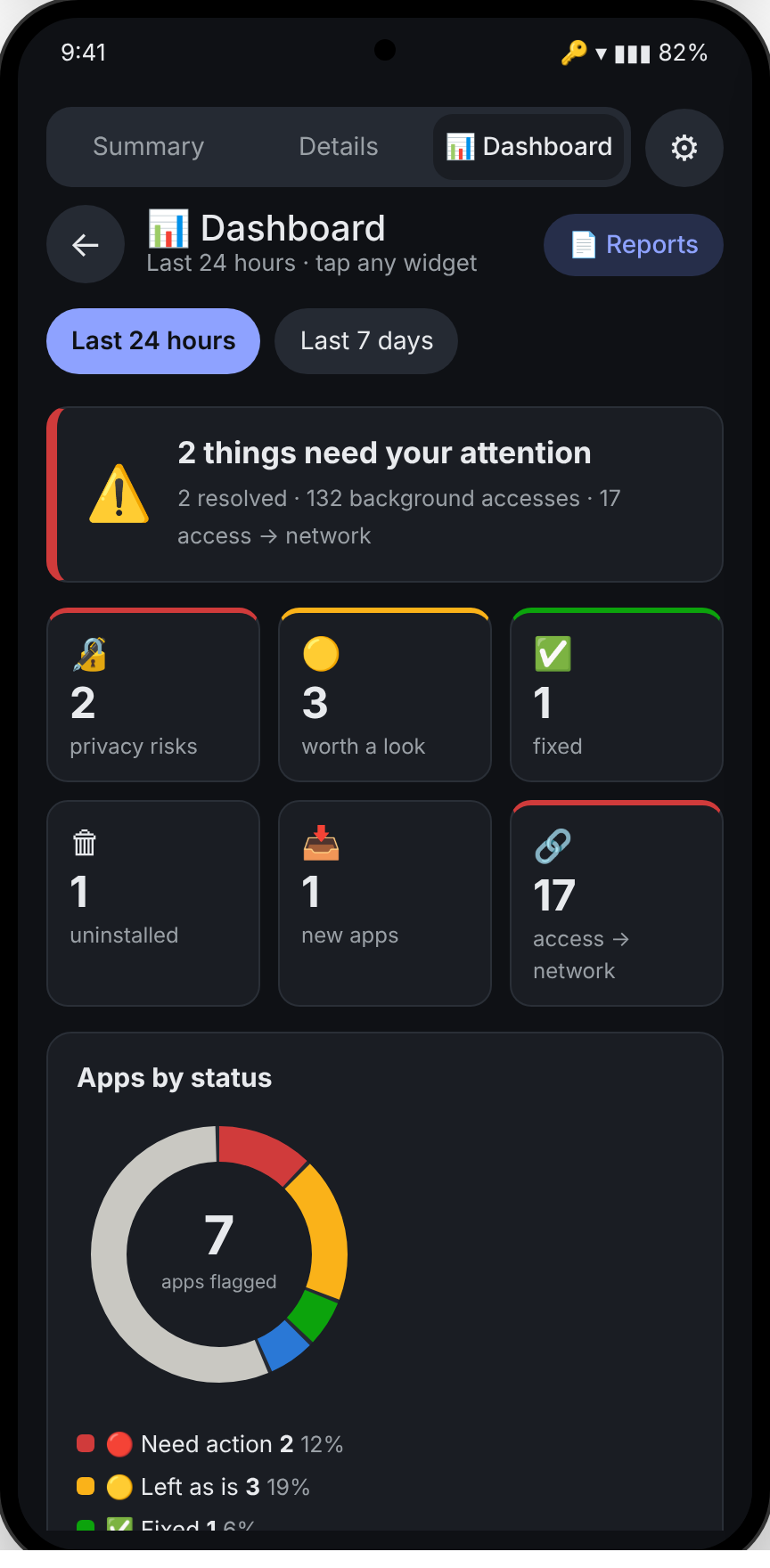
๐Ÿ“Š Dashboard

Today at a glance: privacy risks, background accesses, trackers contacted and data sent. The full version keeps 7 days of history.

  • Most active apps while closed
  • Background data sent, per app
  • Tracker domains and who contacted them
Dashboard with tiles for privacy risks, background accesses and trackers, and a most-active list

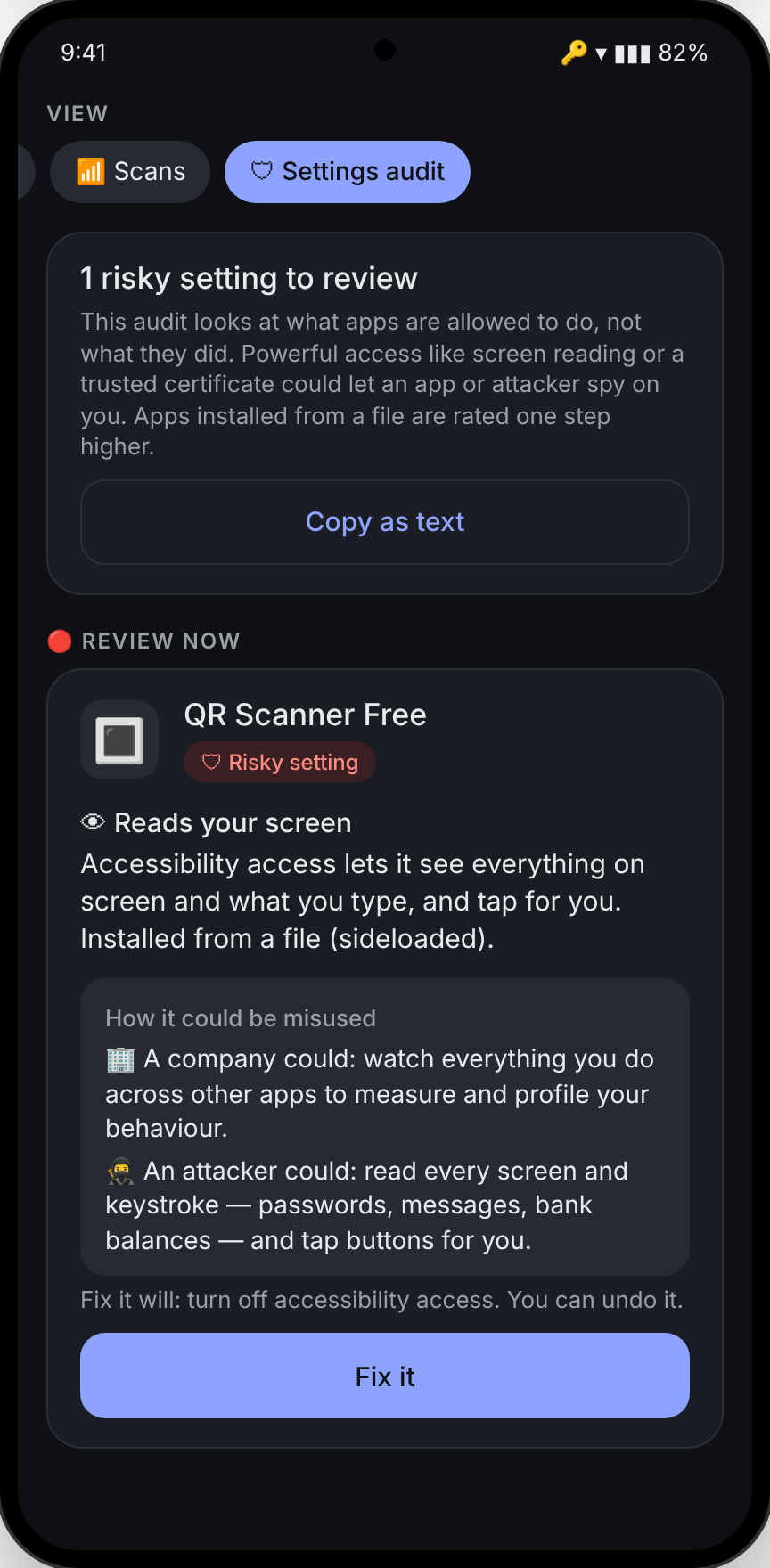
๐Ÿ›ก Settings audit

Separate from behaviour: a check of risky access that could lead to a breach โ€” the kind stalkerware and banking malware rely on. Apps installed from a file are rated one step higher.

  • Screen readers (accessibility), notification readers, device admins
  • Third-party keyboards, overlays, contactless-card apps
  • User-installed certificates, hidden apps, screen recording
Settings audit showing a sideloaded QR scanner with accessibility access flagged for review

What it watches

Uses Android's own records โ€” the same ones the system keeps โ€” plus an on-device DNS monitor. Encrypted traffic contents are never inspected.

๐Ÿ“
LocationGPS and network location used while the app is closed.
๐Ÿ“ถ
Wi-Fi & Bluetooth scansScans that reveal where you are even with location off.
๐Ÿ“‹
ClipboardApps reading what you copied โ€” passwords, codes, addresses.
๐Ÿ‘ฅ
Contacts, SMS & callsAddress book and message reads in the background.
๐Ÿ–ผ
Photos & filesLibrary access, including the GPS stored in photos.
๐ŸŽค
Microphone & cameraAny use while the app wasn't on screen.
โฌ†
Data sentPer-app uploads while you weren't using it.
๐ŸŽฏ
TrackersAdvertising and analytics services each app contacts.
๐Ÿ”ด Needs your attention
Collecting or sending your data in the background.
๐ŸŸก Worth a look
Unusual but often explainable โ€” you decide.
โœ… Fine
Normal for the app, or already fixed.

Reports you can share

One tap at the top of Summary emails the executive summary; one tap at the top of Details sends the technical report. Each is made on the phone as a PDF. Built on the phone โ€” nothing is uploaded to make it. These samples use made-up apps and data.

How it works

Install and turn on monitoring
A local VPN watches which servers each app looks up. Nothing leaves the phone.
Optional: advanced access
Pair once with Wireless debugging for the detailed background records and one-tap fixes. No computer or root needed.
Use your phone normally
Findings build up as apps behave. Most phones show something within a day.
Fix, undo, or leave it
Each finding explains why it matters. You decide.

Gallery

Simple pricing Estimated

No ads and no analytics โ€” ever. The subscription is the whole business, so your data never has to be.

7-day free trial
Free
  • Full monitoring for 7 days
  • All findings, timelines and misuse explanations
  • One free one-tap fix
Monthly
$3.99/month
  • Unlimited monitoring
  • One-tap fixes and fix check
  • Reports and 7-day dashboard
Yearly ยท save 48%
$24.99/year
  • Everything in monthly
  • About $2.08 a month

Prices are estimates and may change before launch. Founding members get the first year for $24.99 โ€” join the waitlist. Coming soon to Google Play. Subscriptions are handled by Google Play and can be cancelled any time.

Made by MCPOTA

Arx Dominii Privati โ€” stronghold of private dominion

MCPOTA (Mobile Cyber Privacy Operations & Threat Analytics) makes privacy and utility tools for your phone. Every tool follows the same rules: it works on the device, collects no analytics, and never sells or shares your data.

Privacy Watch is the first. Startsy, a planner that helps you start, is next. Meet MCPOTA โ†’

Private by design

๐Ÿ“ฑ
On-device onlyMonitoring, findings and reports are made on your phone.
๐Ÿ™ˆ
No accountNothing to sign up for. No email required.
๐Ÿ”’
No traffic inspectionOnly which servers apps contact โ€” never what they send.
โœ‰๏ธ
You choose what to shareReports and false-alarm reports go only where you send them.

Read the privacy policy โ†’

Questions

Does it need root?

No. Basic monitoring works out of the box. The detailed background records and one-tap fixes use Android's Wireless debugging, set up once from the phone itself.

Will it slow my phone or drain the battery?

The VPN only looks at DNS lookups โ€” tiny messages โ€” and passes everything else straight through. Everything else runs on Android records the phone already keeps.

Does it work with another VPN?

Android allows one VPN at a time. If you use another VPN, the DNS part pauses; the access records still work with advanced access.

What if a finding is wrong?

Hide it, and optionally send a false-alarm report to support so the detection can be improved. Hidden findings can be shown again from โš™ โ†’ Hidden findings.

What happens when the trial ends?

Monitoring stops and you can still undo any fix. Subscribe to keep watching.

Which phones are supported?

Android 10 and newer (advanced access needs Android 11 or newer for Wireless debugging). Tested on Samsung Galaxy phones.